Complimentary Shipping from Latin America to the contiguous United States.

How to Sell Artwork on Aziz Art

Listing your artwork on Aziz Art only requires a few simple steps.


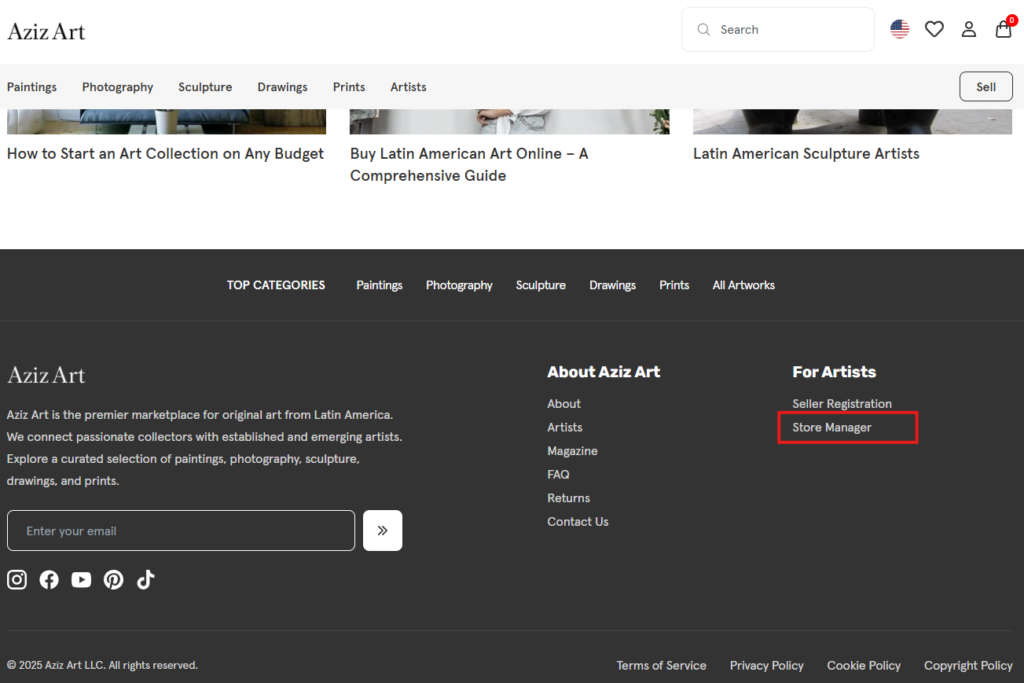
On the bottom of the home page, click Store Manager.


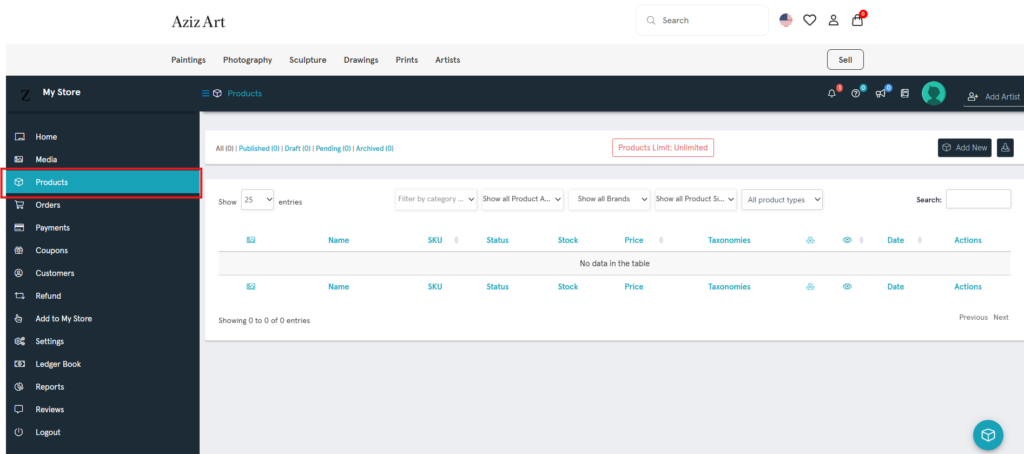
On the vendor dashboard page, click Products.

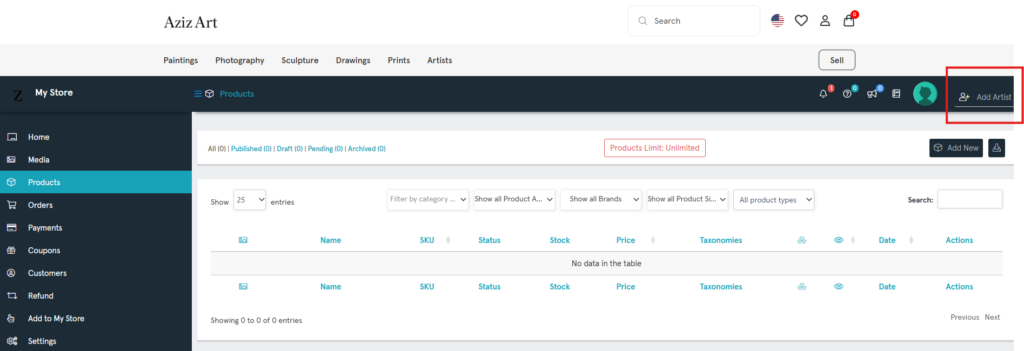
On the Products page, click Add Artist.

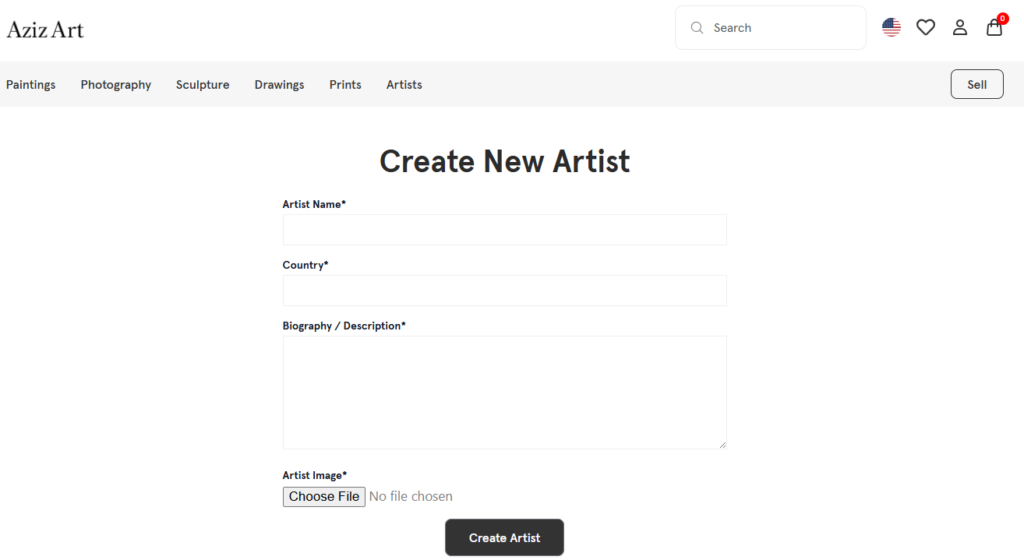
On the Create New Artist page, fill in the artist’s information for the artwork you are selling.

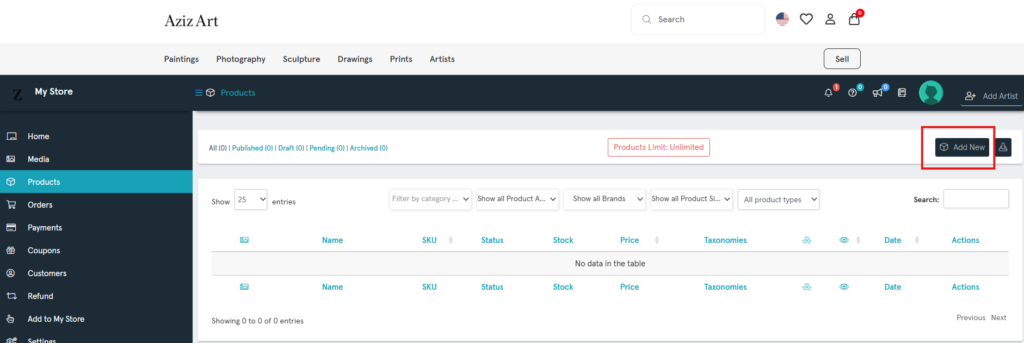
On the Products page, click Add New product.

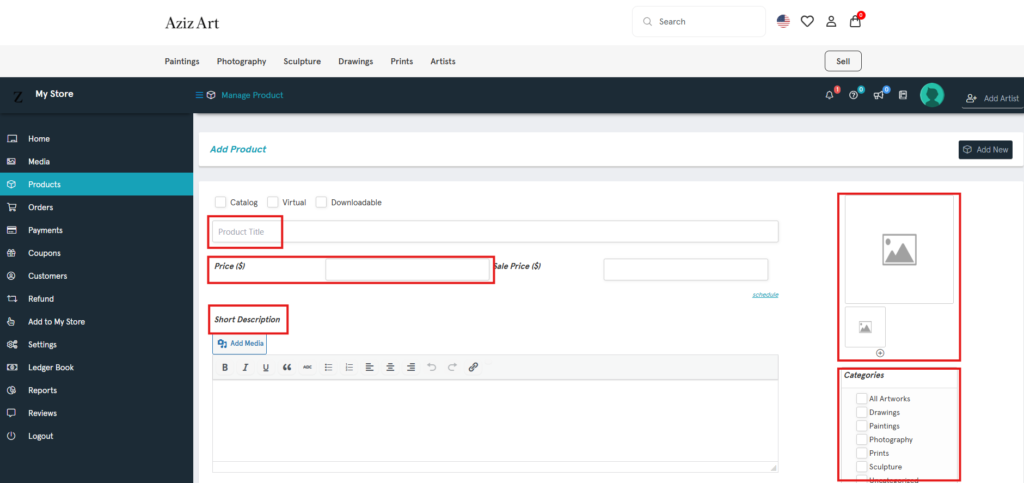
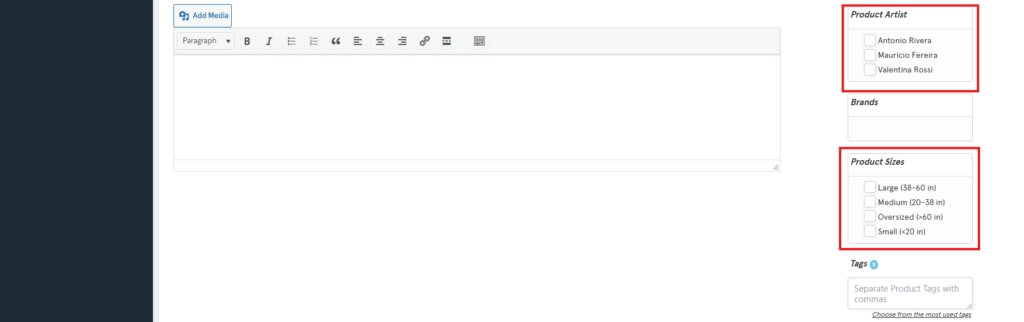
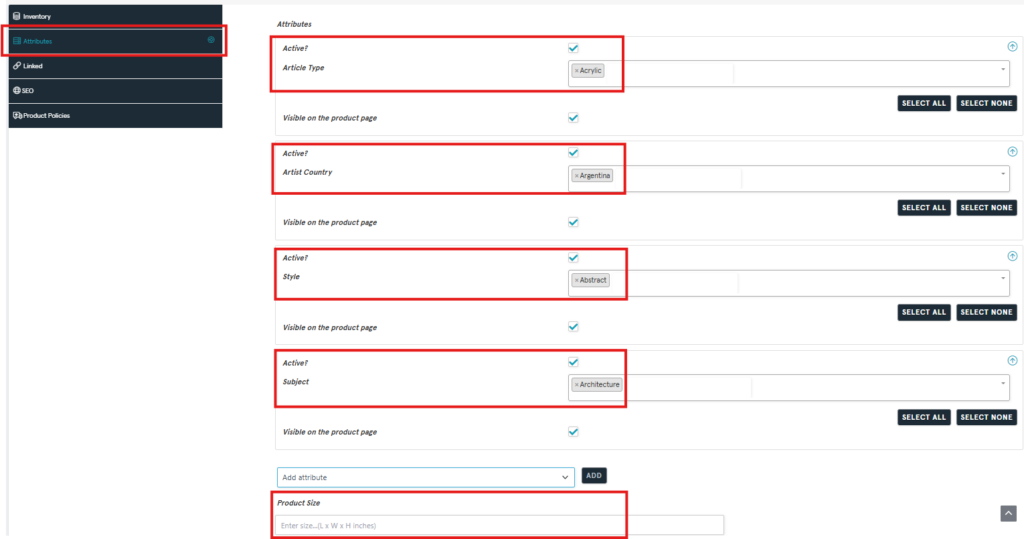
On the Add Product page, only enter artwork information in the red boxes below.
After clicking Submit, your artwork will be listed for sale!

Shopping Cart
Scroll to Top